Progress tracking
Progress, charted
automatically.
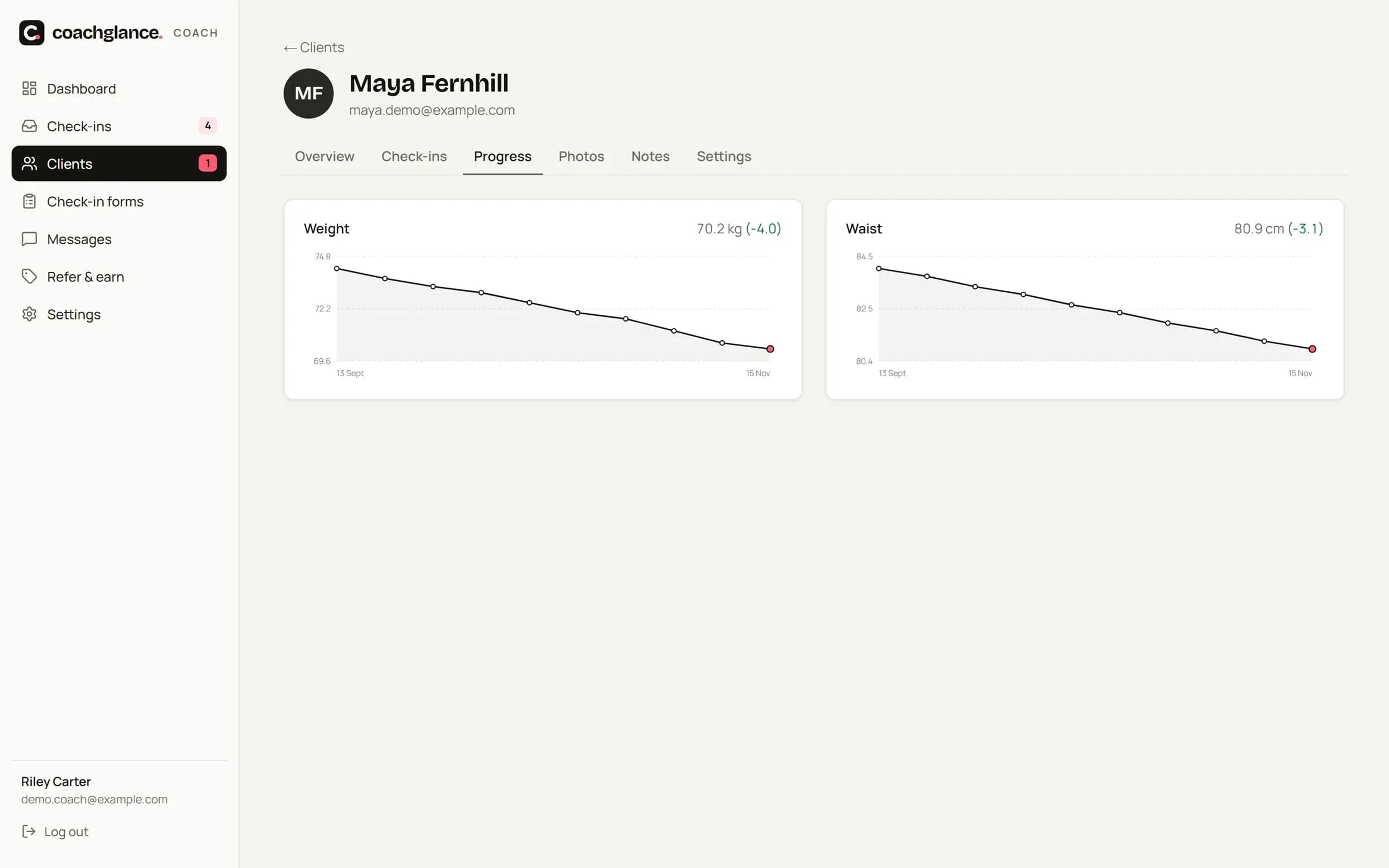
Every measurement your clients enter becomes a chart. Progress photos line up on a timeline, and you can compare any two dates side by side — front, side and back.
The problem
Progress hides in spreadsheets.
When numbers live in old forms and photos in a camera roll, neither you nor your client can see the trend that keeps them going.
How it works
Three steps.
01
Clients log
Weight, waist, hips, chest, arms, thighs or body-fat — whatever your form asks.
02
Charts update
Line charts per metric with the change since day one.
03
Compare photos
Pick any two dates and see front, side and back side by side.
Details
The small things that save the most time.
kg or lbs
Each client chooses their units.
Changes vs last week
Shown next to every check-in summary.
Client view
Clients see their own chart and photo timeline in their app.
Plateau detection
Weight flat for 3+ weeks feeds the at-risk score.
Private photos
Served through short-lived signed links, never public URLs.
Export anytime
GDPR export of a client's data in one click.
FAQ
Questions
Can clients upload photos from their gallery?
Yes — camera or gallery. Photos are resized and stripped of location data automatically.