Join link & import
Your whole roster,
in five minutes.
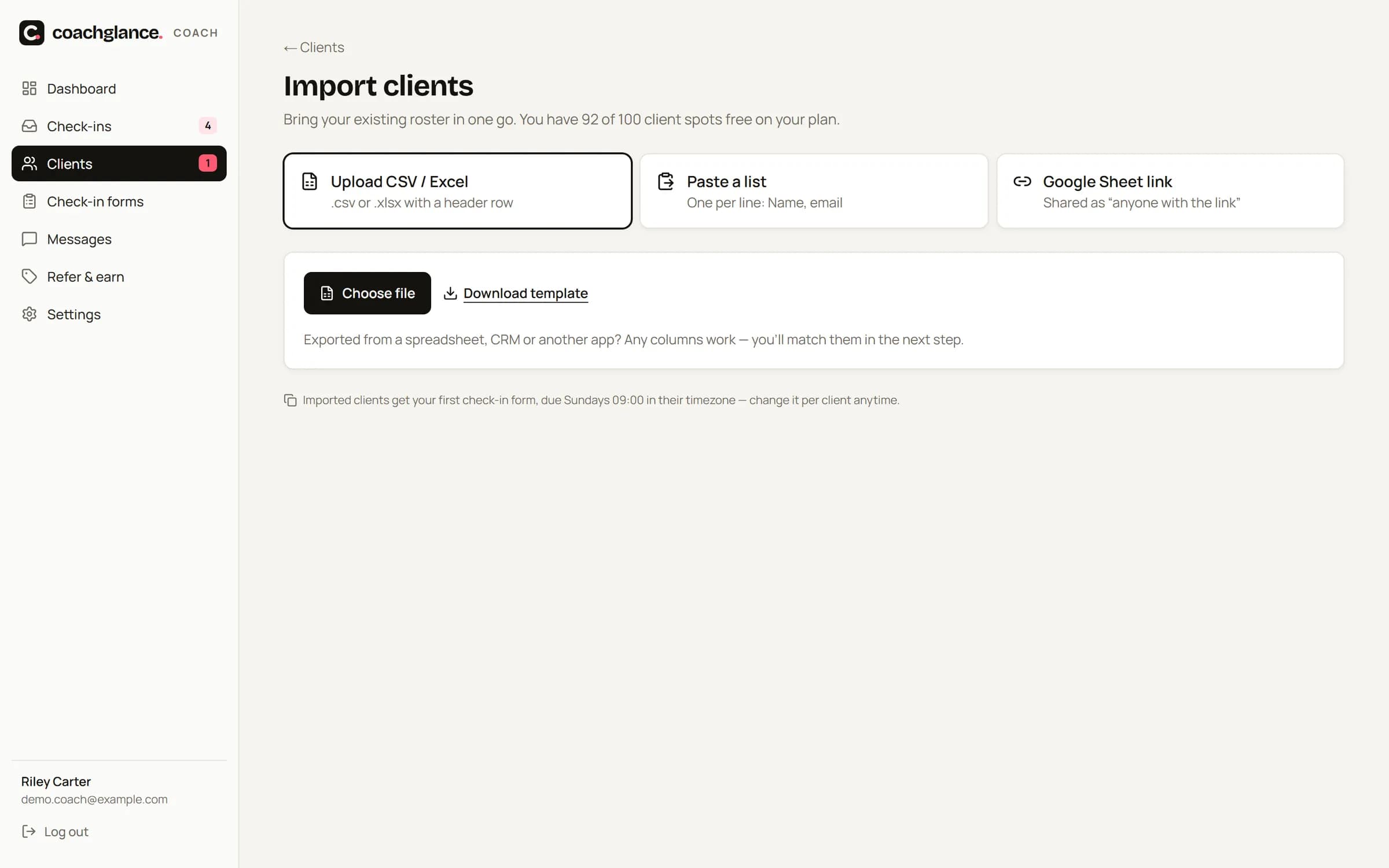
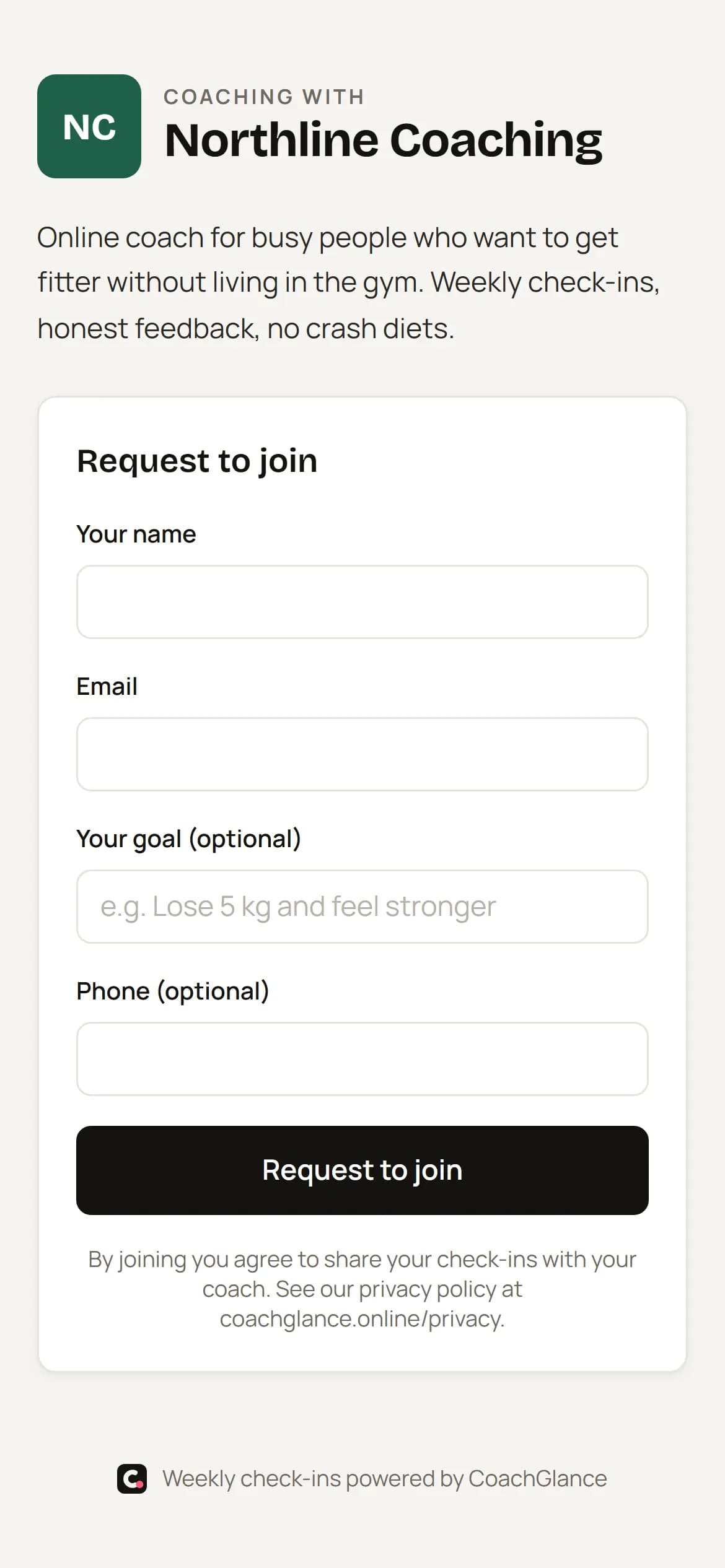
Import existing clients from a CSV, Excel file, pasted list or Google Sheet — or share your personal join link and QR code and let new clients request to join.
The problem
Switching tools shouldn't take a weekend.
Re-typing 40 clients one by one is the reason most coaches never move their check-ins.
How it works
Three steps.
01
Bring your list
CSV, Excel, a pasted list or a shared Google Sheet.
02
Check & fix
Valid, duplicate and invalid rows are highlighted; fix or skip before importing.
03
Invite
Invites go out in the background — or later, when you're ready.
Details
The small things that save the most time.
Column mapping
Any spreadsheet layout — match columns in a few clicks.
Plan-aware
Shows exactly how many clients fit your plan before you import.
Join link
coachglance.online/j/your-name — with logo, bio and an optional access code.
QR code
Download as PNG or SVG for flyers, gym walls and stories.
Approve or auto-approve
Review join requests, or let them in instantly.
Link-in-bio text
Copy a ready-made line for Instagram and TikTok.
FAQ
Questions
Will importing email all my clients immediately?
Only if you leave “Send invite emails now” on. Otherwise they're imported quietly and you invite them when ready.
Can I stop random people using my join link?
Yes — set an access code, turn on approval, or disable the link anytime.